

There are many different job roles out there, and many types of companies, but one common thread is their use of Excel across all industries and walks of life.
It’s a key business tool that’s developed over the years and has many incredible capabilities, far too many to discuss them all in this article.
1. Industry Standard Software
So how is Excel useful? Well, let’s say you work in Finance, so how many hours do you imagine they spend on Excel? A lot usually. If the number crunching needs to be done, they may use other systems, but they always get data out of that system into a more user-friendly standard system and go for it in Excel. Finance people need Excel to formulate reports, charts, simulations, and do “what if” analysis on data, so it’s the ideal tool to do the job. Plus, it has a lot of finance specific Functions built-in, try looking at PMT, IPMT, PPMT, SLN and so on.
If you work in Sales, you will need to report totals, averages, margins, basic calculations, charts, maybe you will need to create wonderful Dashboards. This is a buzzword of the moment with many companies looking to create superb user-friendly, exciting dashboard-style interfaces to their back-end data sheets containing charts, interactive menus, dropdown options, button controlled reports and charts. Slicers and Timelines can also be incorporated into the dashboards.
Engineers will need to use calculations, projected figures, quantities, VLOOKUP functions and charts of various types, they also have a range of built-in functions specific to that area such as CONVERT, SIN COS and TAN functions.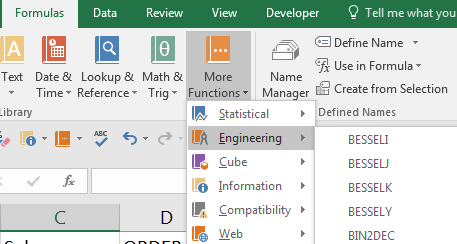
2. Boost Productivity
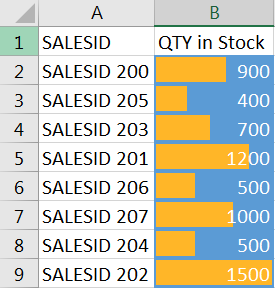
Excel can boost productivity tenfold in business if you know how to quickly create a decent spreadsheet. Then, you are a key asset to that business as you have very useful skills. Excel is a logical application and is fairly user-friendly to learn. Yes, some of the formulae are as complex as you can imagine, but the logic is often straightforward. Productivity is boosted by knowing and using things like keyboard shortcuts to speed up your use of Excel, and then using features such as copy/paste, dragging formulas across columns and rows they will re-adjust themselves to their new cell references. Large amounts of data can be quickly manipulated in Excel by filtering, sorting, doing calculations, what-if analysis, charting data as a pie chart or line charts with trendlines. Conditional formatting can add a splash of colour such as red, amber and green traffic light controls. You can add ticks, crosses, data bars, thermal scales, smiley faces. Being compatible with other office applications also means you can quickly share data via Excel or copy it over to Word or PowerPoint for reports and presentations
.
3. Improve Quality of Work
Excel can improve the quality of work you produce by letting you easily create beautiful dashboards, reports, interfaces, charts and nicely formatted data. This can easily be pasted across to a PowerPoint presentation or a Word document for management to follow. Working to a standard template means also a better quality of data and formulas as someone else has created and checked the template for formula accuracy and standard formatting layout and positioning.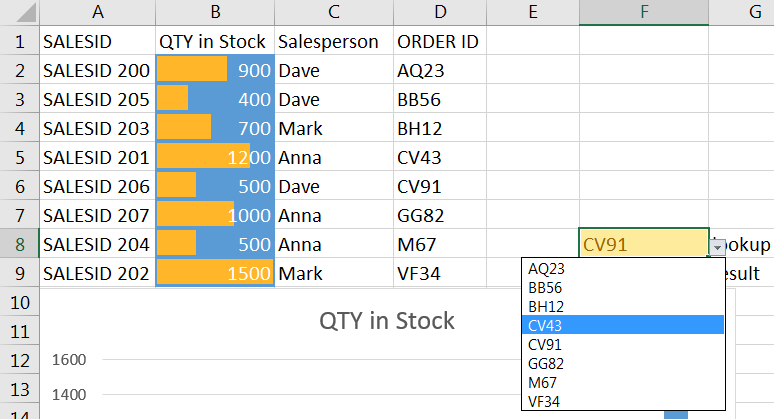
4. Versatility
Businesses without spreadsheets would be a sad place indeed. How could Pete number crunch that big data from the online sales or how can Acme Ltd predict the next quarter profits, without your finance simulator spreadsheet? How can Dave see orders over the next twelve months via his dashboard without Excel? Will Anna be able to choose her new product range without the pie charts, or will Ben be able to see who he needs to call this week without Marks’ Excel-based sales contact data sheets? How will you calculate the end of term stationery requirements, or calculate what we should charge our clients for the next year rentals based on last year plus 4%?
5. Collaboration
Excel has many collaborative capabilities nowadays, and these can really help you get on with your business no matter where your staff are based. MS Office is truly a global set of tools and with Excel, we can share spreadsheets and get managers or team members to add data, make changes to existing cells, modify formulas, alter or add formatting and charts. You can then control the changes and track them, approve or reject changes to cells and add comments to the data cells as needed.
Office 365 is now being rolled out to numerous companies, and the possibilities of working on a sheet at the same time as other colleagues, are endless. Online collaboration is the way forward!
Source: Zandax



